Public Bellwether article
Series 2 | Clearing an Alarm
Source: Bellwether Coffee,https://help.bellwethercoffee.com/clearing-an-alarm-on-your-bellwether-roaster. Reproduced for owners; © Bellwether Coffee Co.
Group: Alarms and the tech panel
Source: Bellwether Coffee, original article. Reproduced for owners; © Bellwether Coffee Co.
This article will take you through the process of accessing your Roaster’s Tech Panel to clear an alarm.
Press the “Help” tab
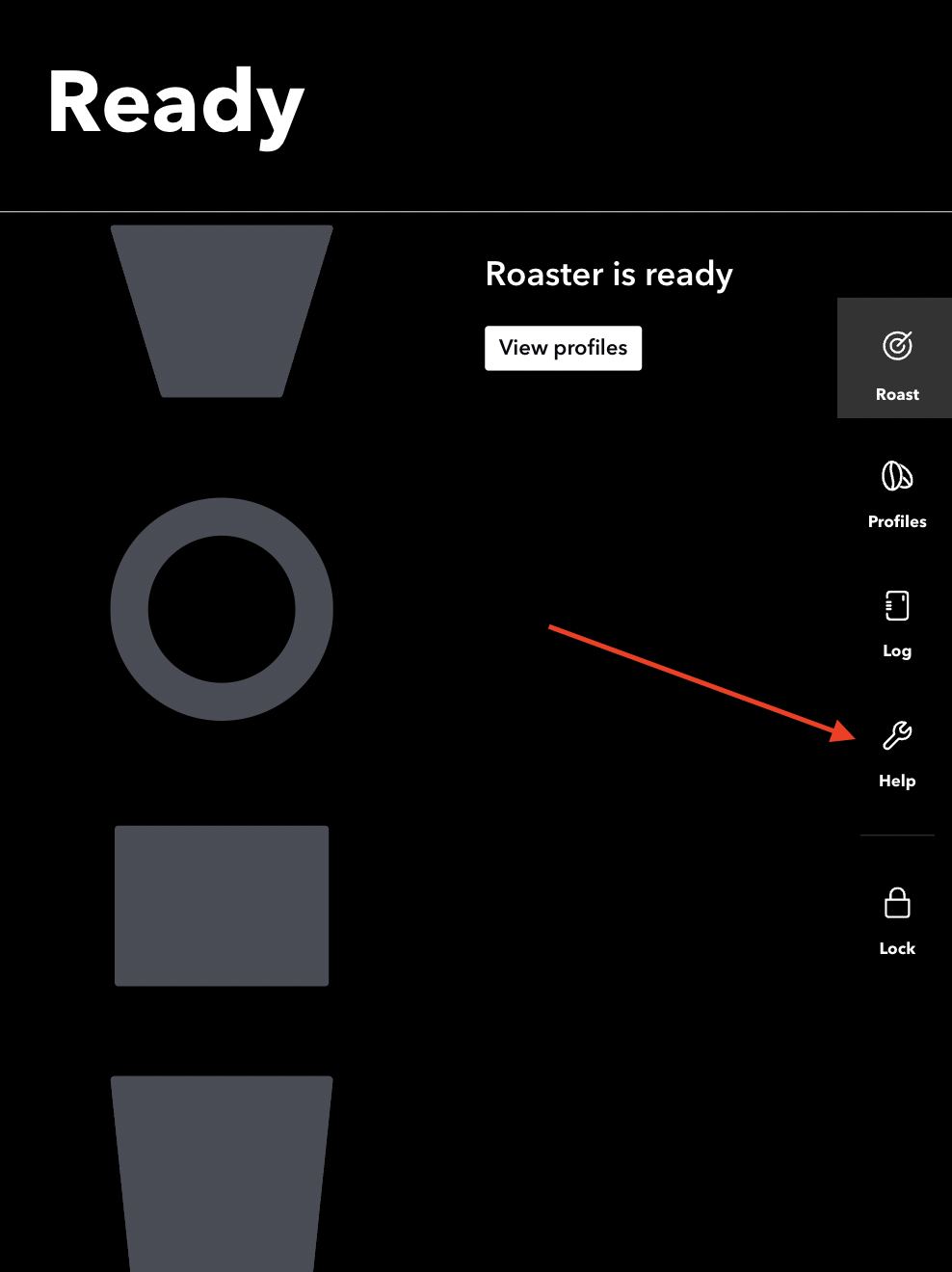
Source: Bellwether Coffee, original article. Reproduced for owners; © Bellwether Coffee Co.
Press “Access Tech Panel”
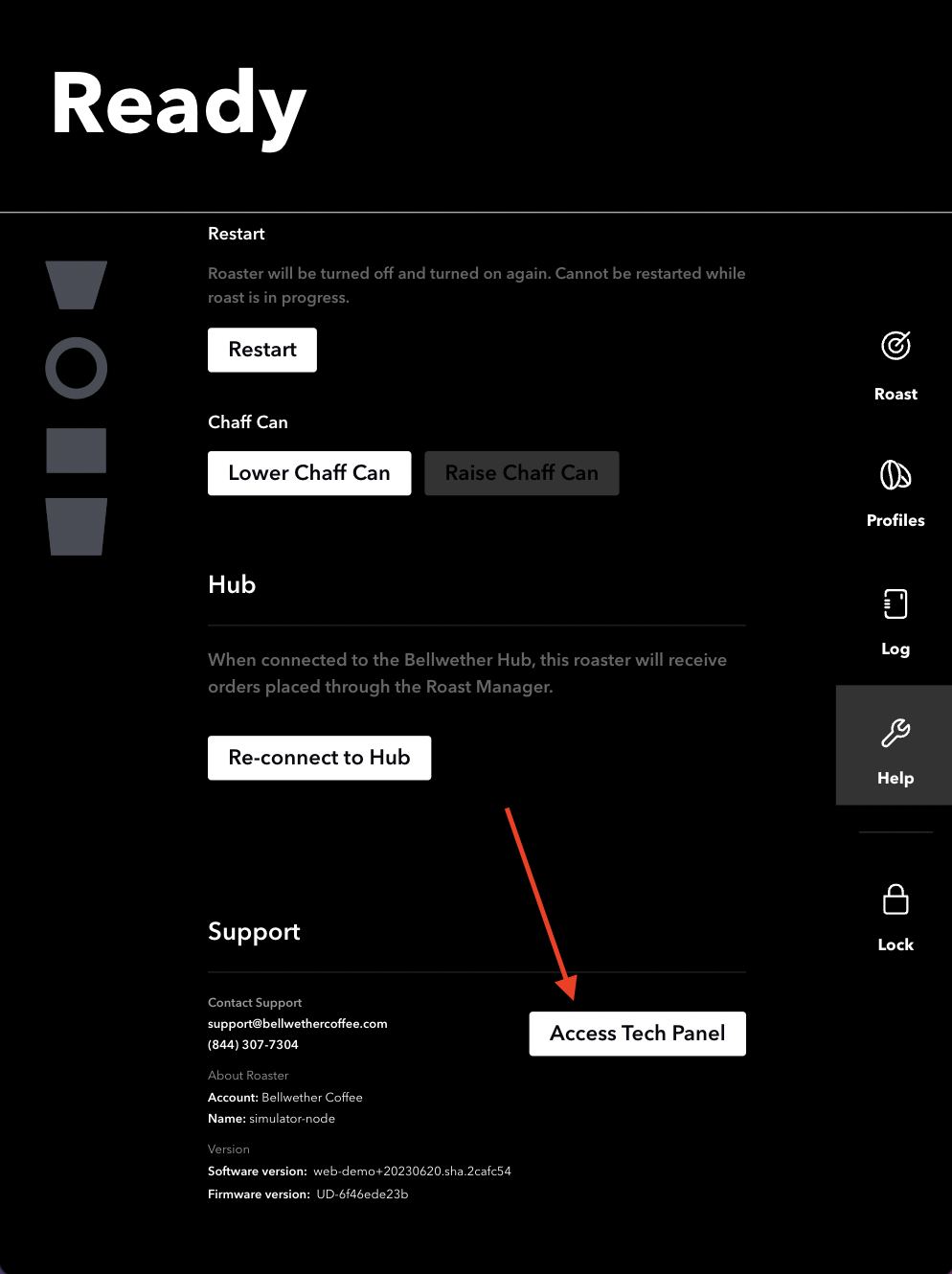
Source: Bellwether Coffee, original article. Reproduced for owners; © Bellwether Coffee Co.
Enter the PIN from Support or the number “2XXX” where “XXX” is the number of your roaster.
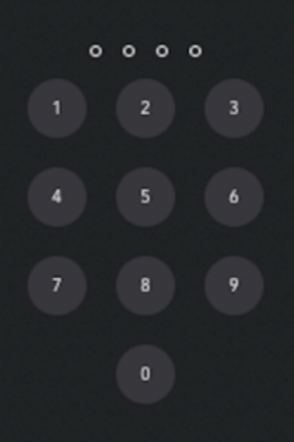
Source: Bellwether Coffee, original article. Reproduced for owners; © Bellwether Coffee Co.
Go to the “Maintenance” tab and press “Clear All Alarms”
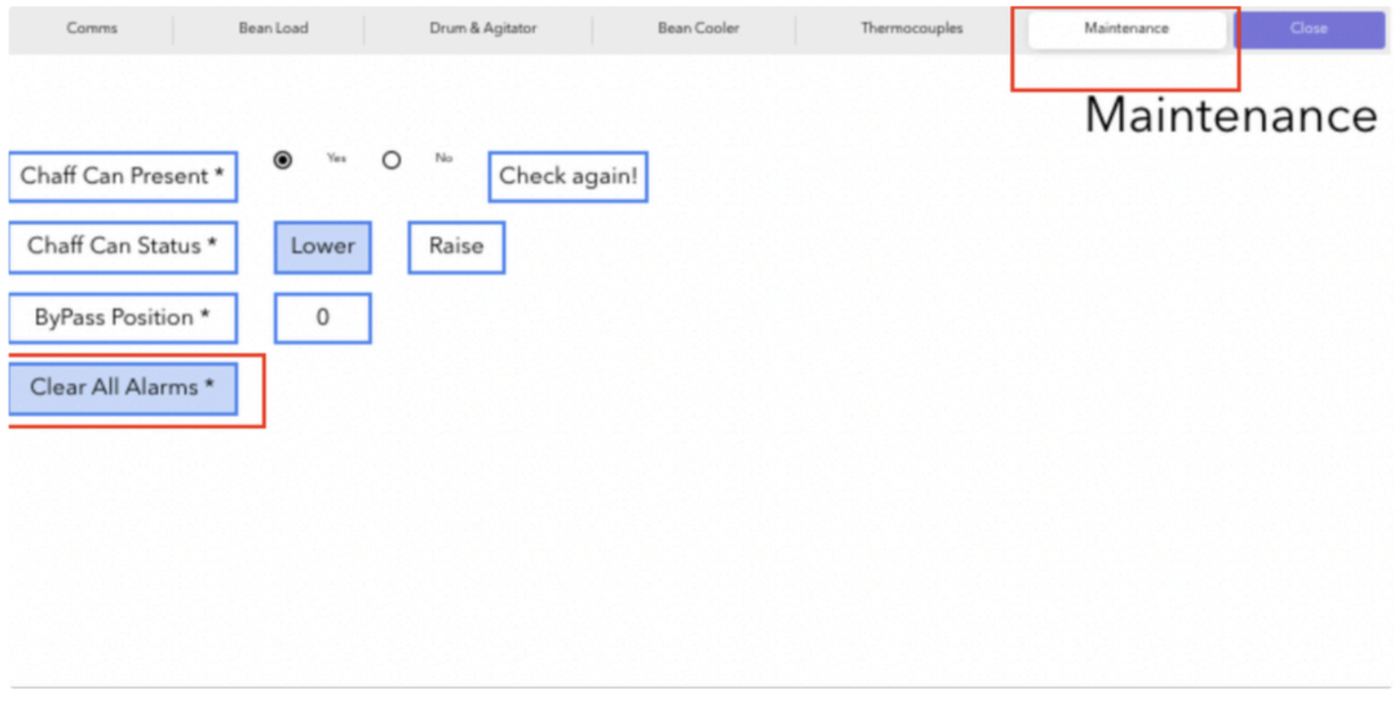
Source: Bellwether Coffee, original article. Reproduced for owners; © Bellwether Coffee Co.
If the alarm returns, please reach out to us via your Support Representative.