Public Bellwether article
Accounts: Editing Your Information
Source: Bellwether Coffee,https://help.bellwethercoffee.com/roaster-manager-1. Reproduced for owners; © Bellwether Coffee Co.
Group: Other Bellwether articles
Source: Bellwether Coffee, original article. Reproduced for owners; © Bellwether Coffee Co.
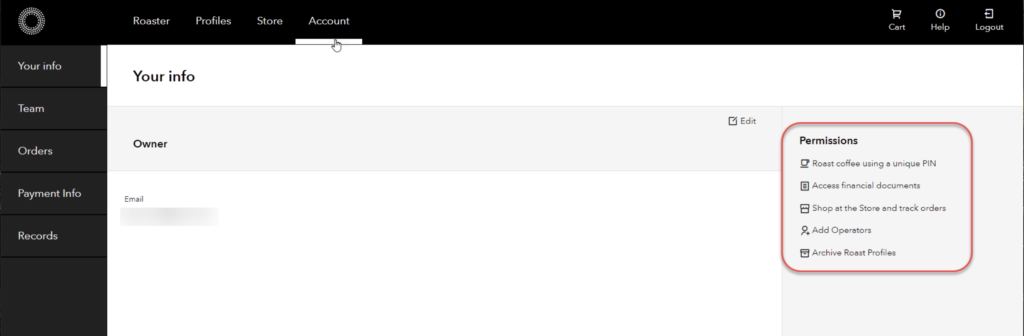
In your account info, you can view some very basic information, including contact info (email address), and permissions associated with your account.
Source: Bellwether Coffee, original article. Reproduced for owners; © Bellwether Coffee Co.
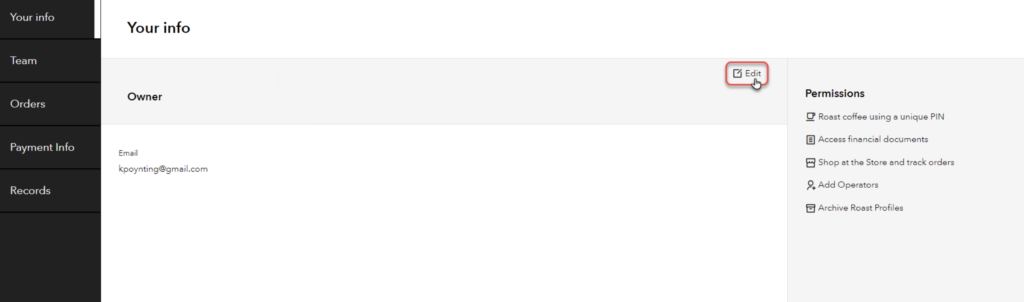
Editing your Account information is simple. Click Editfrom the right corner of the workspace to make any changes.
Source: Bellwether Coffee, original article. Reproduced for owners; © Bellwether Coffee Co.
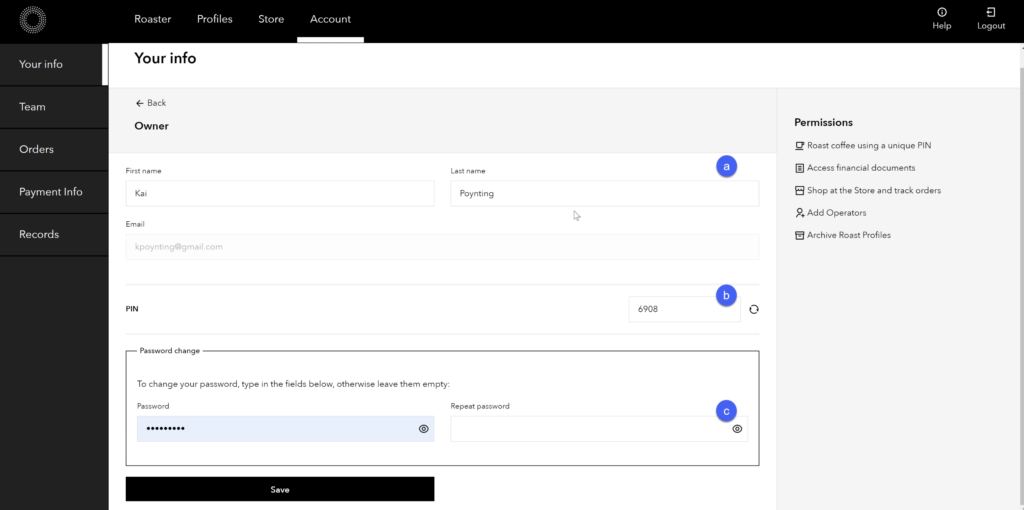
Once in the edit menu, you can change:
a) the name associated with your account
b) change the PIN for PIN access to the roaster – Bellwether recommends using the random function in creating your PIN for better security, but you can type in a set PIN as well.
c) change and confirm your password
**Note:**Email Address cannot be changed without support assistance as it is a basis for account access. Contact support if a change in email address is required.
Source: Bellwether Coffee, original article. Reproduced for owners; © Bellwether Coffee Co.
Click Saveto complete the changes.