Public Bellwether article
Accounts: Add/Manage Payment Methods
Source: Bellwether Coffee,https://help.bellwethercoffee.com/roaster-manager-accounts-1. Reproduced for owners; © Bellwether Coffee Co.
Group: Other Bellwether articles
Source: Bellwether Coffee, original article. Reproduced for owners; © Bellwether Coffee Co.
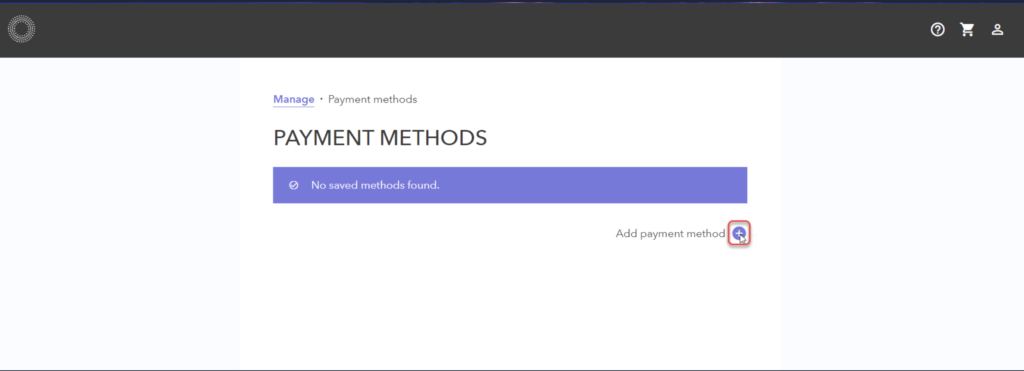
In this workspace, you can add or manage payment methods. Existing payment methods will be presented if available for your organization. To add a payment method, click the plus sign beside Add payment method.
Source: Bellwether Coffee, original article. Reproduced for owners; © Bellwether Coffee Co.
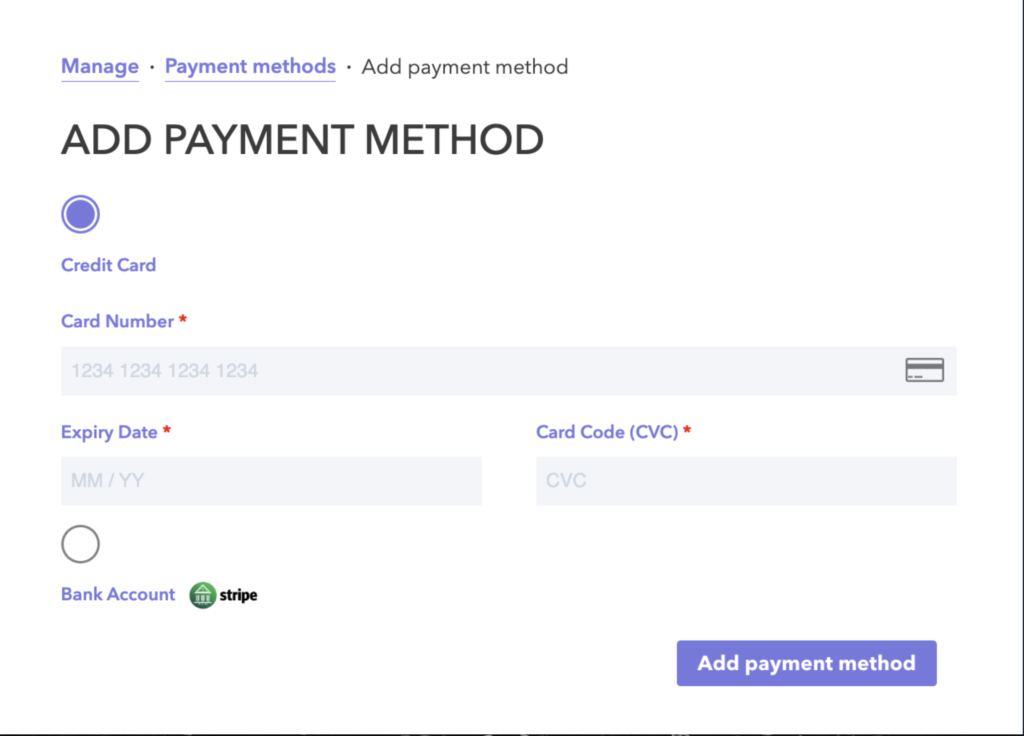
You will be able to add credit card or bank account payment methods. Select the desired option.

Source: Bellwether Coffee, original article. Reproduced for owners; © Bellwether Coffee Co.
Credit Card
Enter the card details, and click Add Payment Method. Details below are test details. However, they serve to illustrate the process of a real card.
Note: The Test Mode prompt will not be present on the production system.
Source: Bellwether Coffee, original article. Reproduced for owners; © Bellwether Coffee Co.
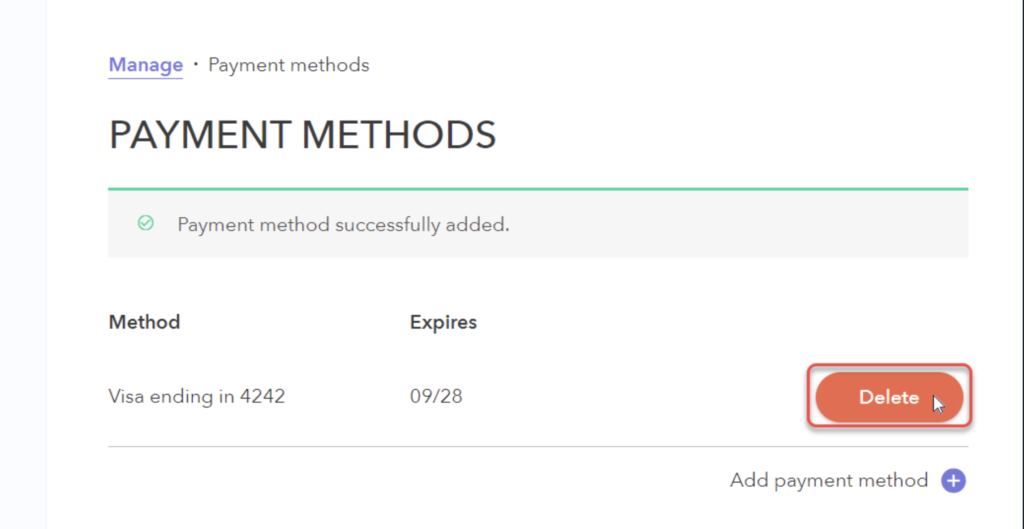
Once added, the payment method will be listed. You can also delete any existing payment method for your organization if you are an owner.
Source: Bellwether Coffee, original article. Reproduced for owners; © Bellwether Coffee Co.
Banking Information
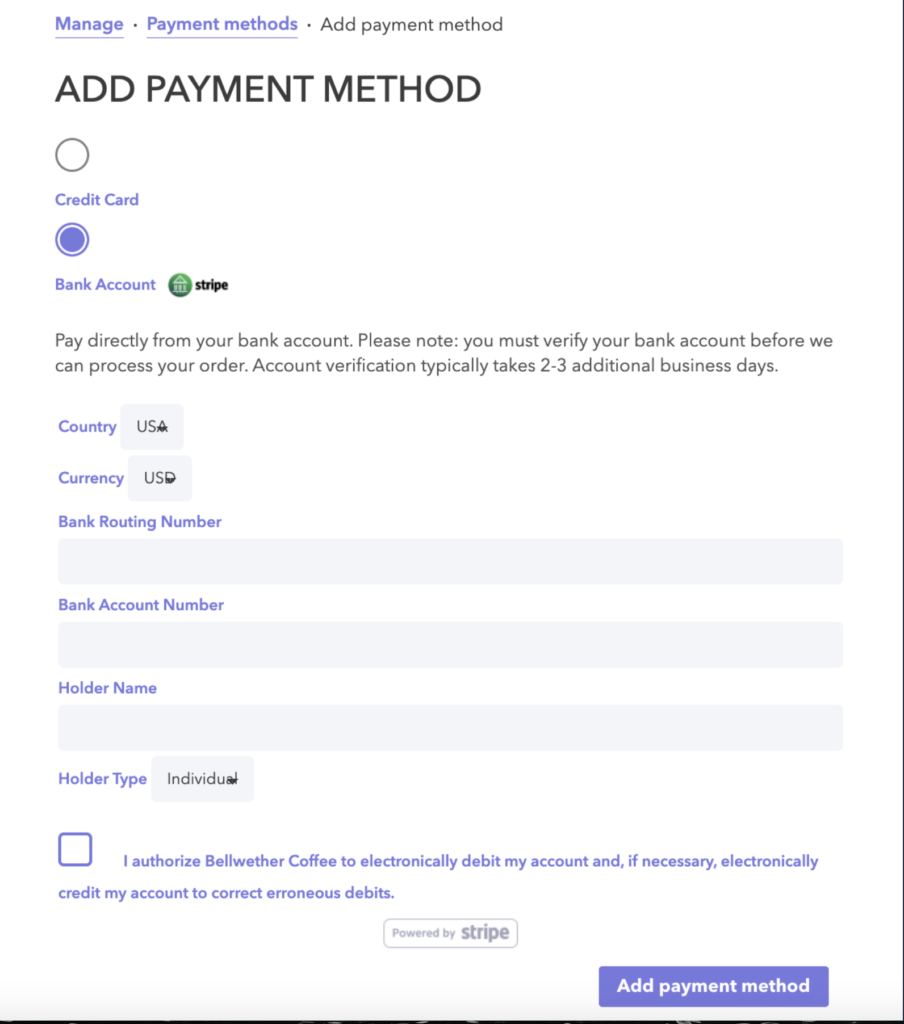
Adding and verifying banking information is accomplished via Stripe. Enter the account details you wish to use for your purchases, and click Add Payment Method when complete.
Source: Bellwether Coffee, original article. Reproduced for owners; © Bellwether Coffee Co.